Power BI Dashboards

Dashboard examples designed for industrial execution, turnarounds, and leadership decision-making.

Select a Dashboard

Click a dashboard below to jump to details. Each section explains what it does, what data it needs, and how it helps leadership and execution teams make faster decisions.

Tip: If you already have Excel logs, SharePoint lists, Power Apps, or field reporting data, we can connect it and start fast. If you don’t, we can build a clean tracker that feeds the dashboard so you aren’t stuck in spreadsheet chaos.

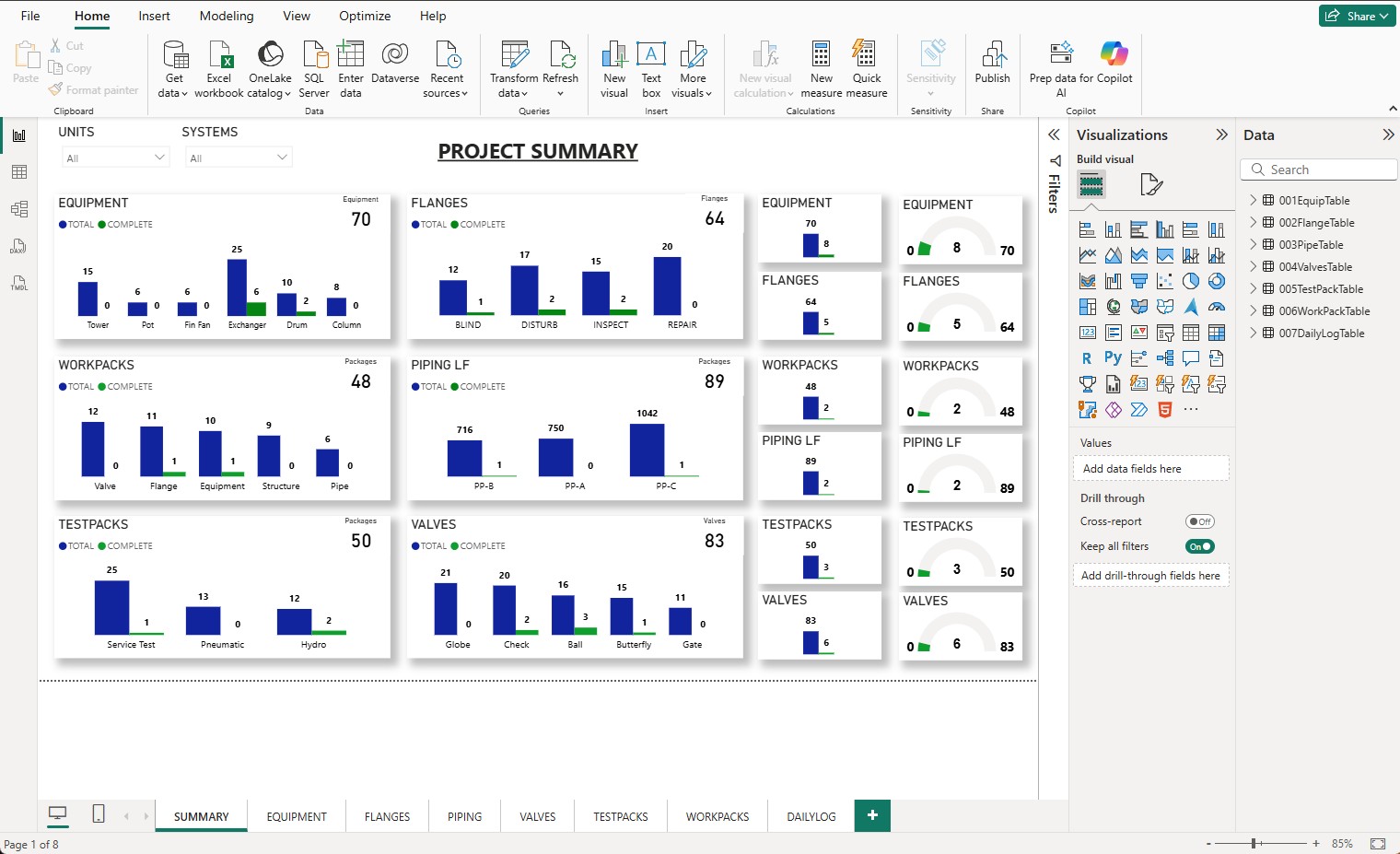
Executive Summary Dashboard

Fast, reliable leadership visibility — with drilldowns that turn questions into actions.

What it does

This dashboard gives leadership a single view of where the job stands today — schedule health, cost outlook, progress performance, and what’s blocking the next milestones. It’s designed to reduce “status meeting noise” and focus the team on priorities.

Questions it answers

  • Are we ahead or behind plan — and why?
  • Is cost trending to the forecast (or overrun)?
  • What are the top drivers impacting schedule and productivity?
  • What needs an owner today?
Best for Turnaround leadership, project managers, owners, directors, planners
Typical inputs Schedule (P6/export), cost summary, progress quantities, constraints/issues, workforce hours

What you get (deliverables)

  • Executive KPI panel + trends
  • Drilldowns by area/system/workstream
  • Top issues/constraints list with owners
  • Weekly/PDF snapshot option (if desired)
Executive Summary Power BI dashboard example

Readiness & Planning Dashboard

Readiness scoring, gating items, and upcoming milestones so teams don’t get surprised in execution.

What it does

This dashboard shows whether work is actually ready to execute — not just “scheduled.” It tracks constraints (materials, permits, access, engineering, inspection hold points), highlights upcoming risk areas, and supports clean handoffs from planning to execution.

Questions it answers

  • What is ready to release next week — and what is blocked?
  • Which constraints are trending up and need escalation?
  • Which workstreams are missing critical inputs?
  • What’s the readiness score by area/system?
Best for Planners, readiness leads, coordinators, execution leadership
Typical inputs Workpack list, constraint log, milestone dates, responsible owners, due dates

Common add-ons

  • Readiness “gates” with pass/fail criteria
  • Automatic overdue alerts by owner
  • Weekly readiness report outputs
Readiness and planning Power BI dashboard example

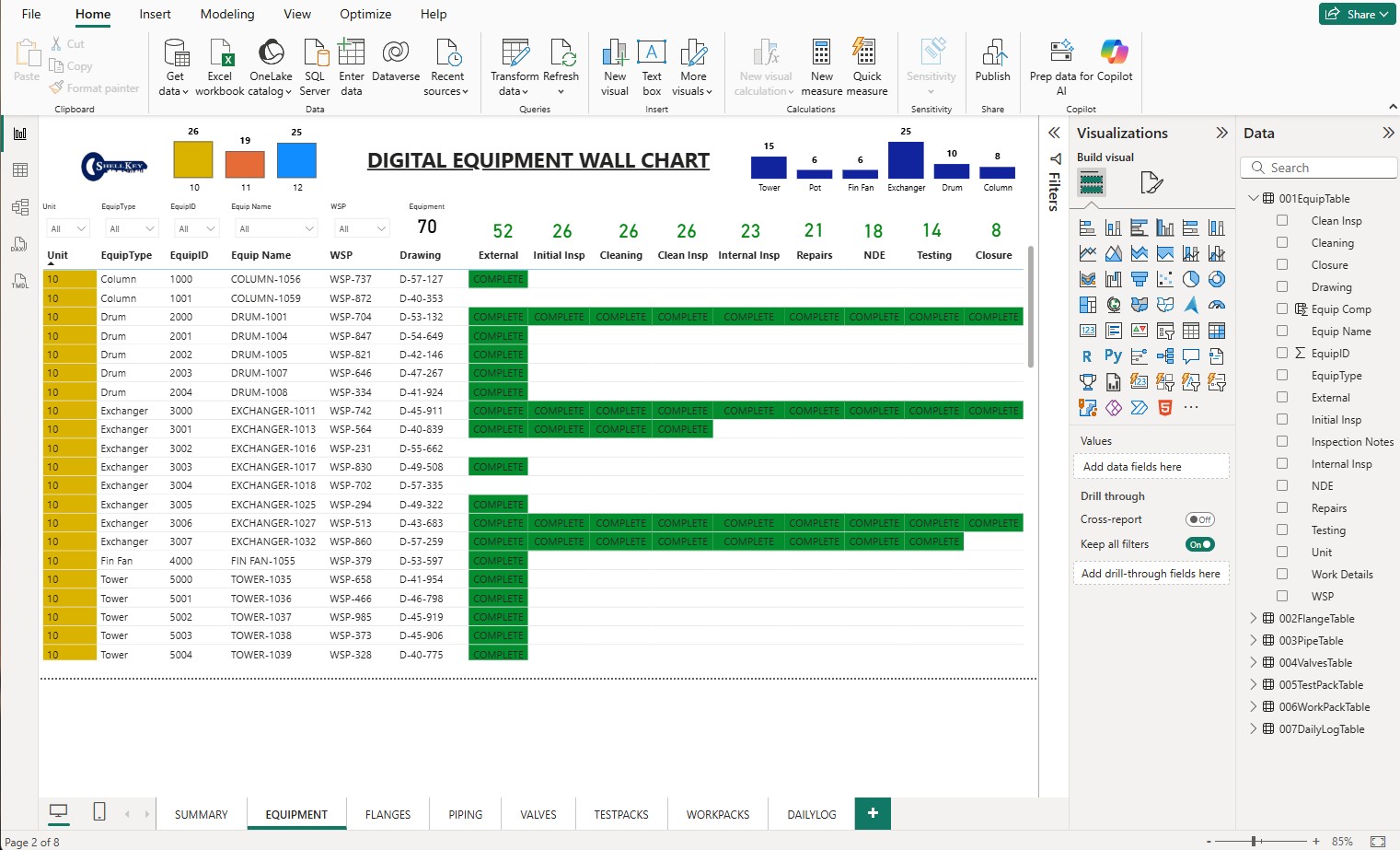
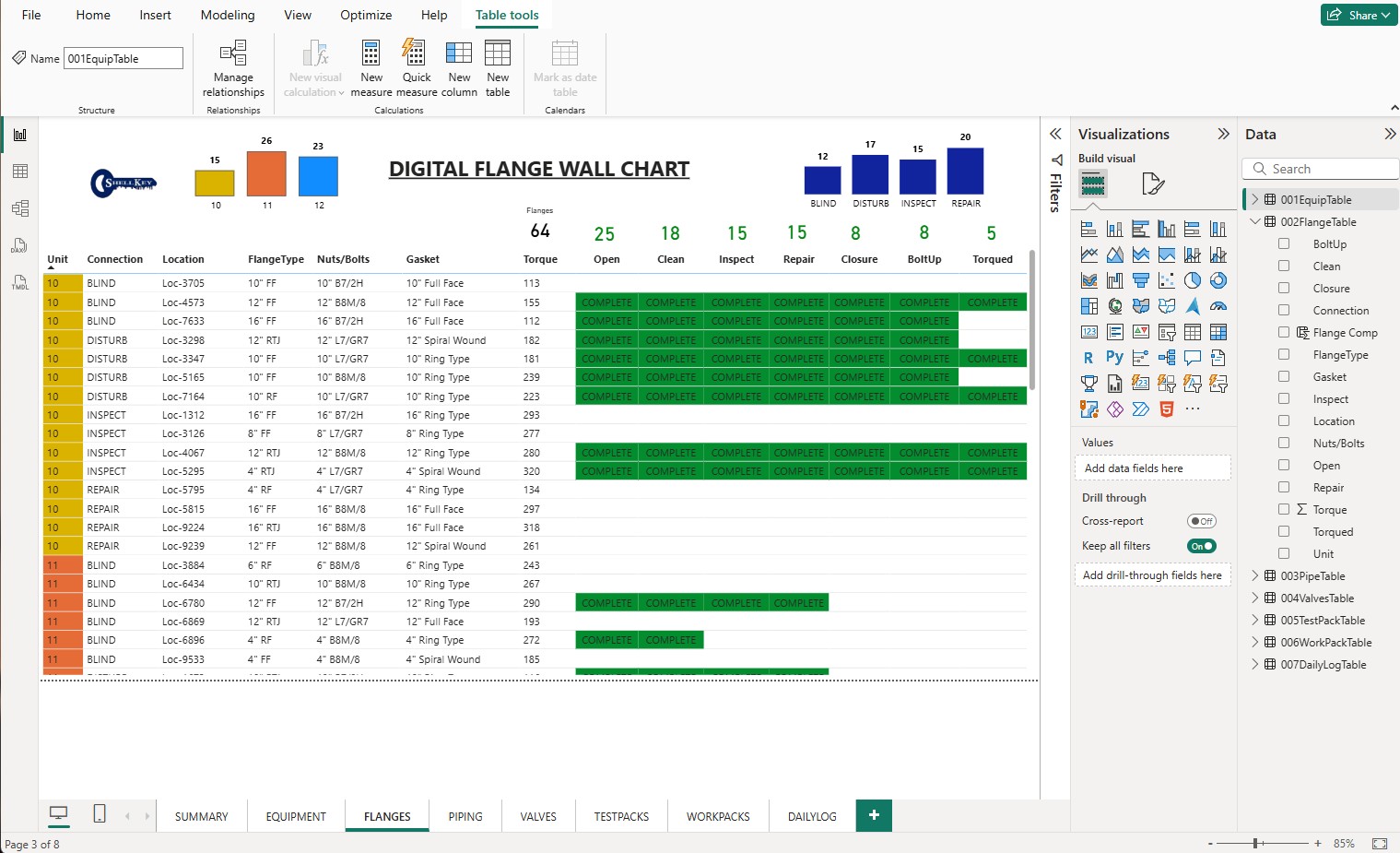
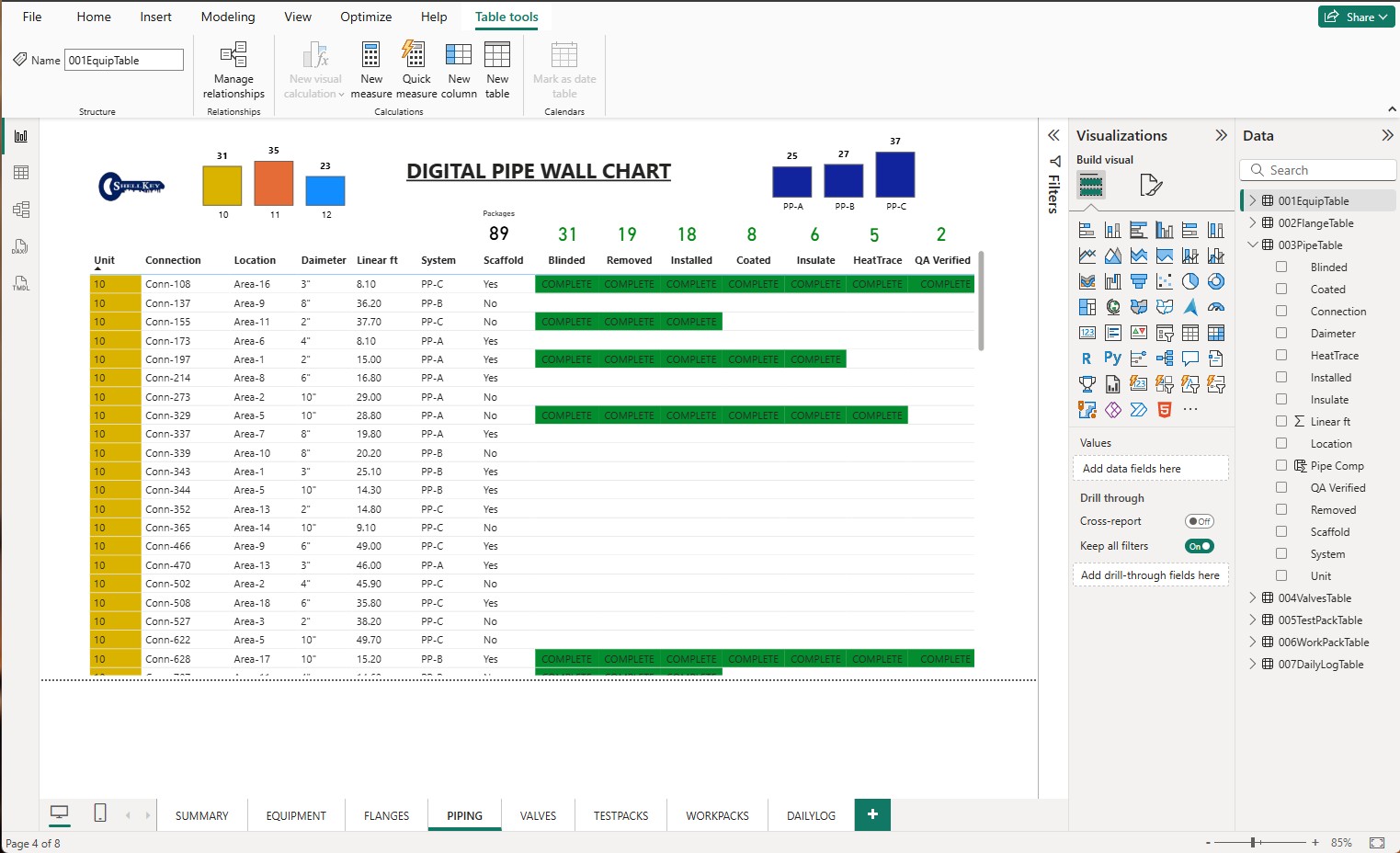
Turnaround Wall Chart Dashboard

A “digital wall chart” that keeps the full plan aligned from planning through execution.

What it does

This is your turnaround plan in a clean, executive-ready wall chart format — but digital, filterable, and always current. It’s built to reduce confusion during fast-moving execution and keep workstreams aligned.

Questions it answers

  • What are the major gates and milestones this week?
  • Which workstreams are slipping — and what’s driving it?
  • Where is the risk concentrated (area/system)?
  • Are we on track for the next major outage milestone?
Best for Turnaround leadership, planners, execution managers, coordination meetings
Typical inputs Milestone list, workstream plan, P6 schedule export, readiness/constraint signals

Optional enhancements

  • Risk ranking and readiness heat maps
  • Gate acceptance checklist tracking
  • Printable “meeting mode” views
Turnaround wall chart Power BI dashboard example

Daily Field Reporting Dashboard

Turns daily updates into structured reporting for faster decisions and cleaner communication.

What it does

This dashboard converts field updates into a consistent, leadership-friendly view — progress, productivity, blockers, and open issues. It reduces the time wasted chasing updates and supports better coordination across teams.

Questions it answers

  • What was accomplished today and what is planned tomorrow?
  • Where did productivity drop — and what’s the reason?
  • What blockers are repeating and need escalation?
  • Which areas are trending behind expected progress?
Best for Field supervisors, construction managers, turnaround execution, coordinators
Typical inputs Daily logs, quantity tracking, manpower, issues list, photos/notes (optional)

Common add-ons

  • Photo evidence + proof links
  • Daily rollup report output (PDF/email-ready)
  • Standardized daily log templates (if you don’t have them)
Daily field reporting Power BI dashboard example

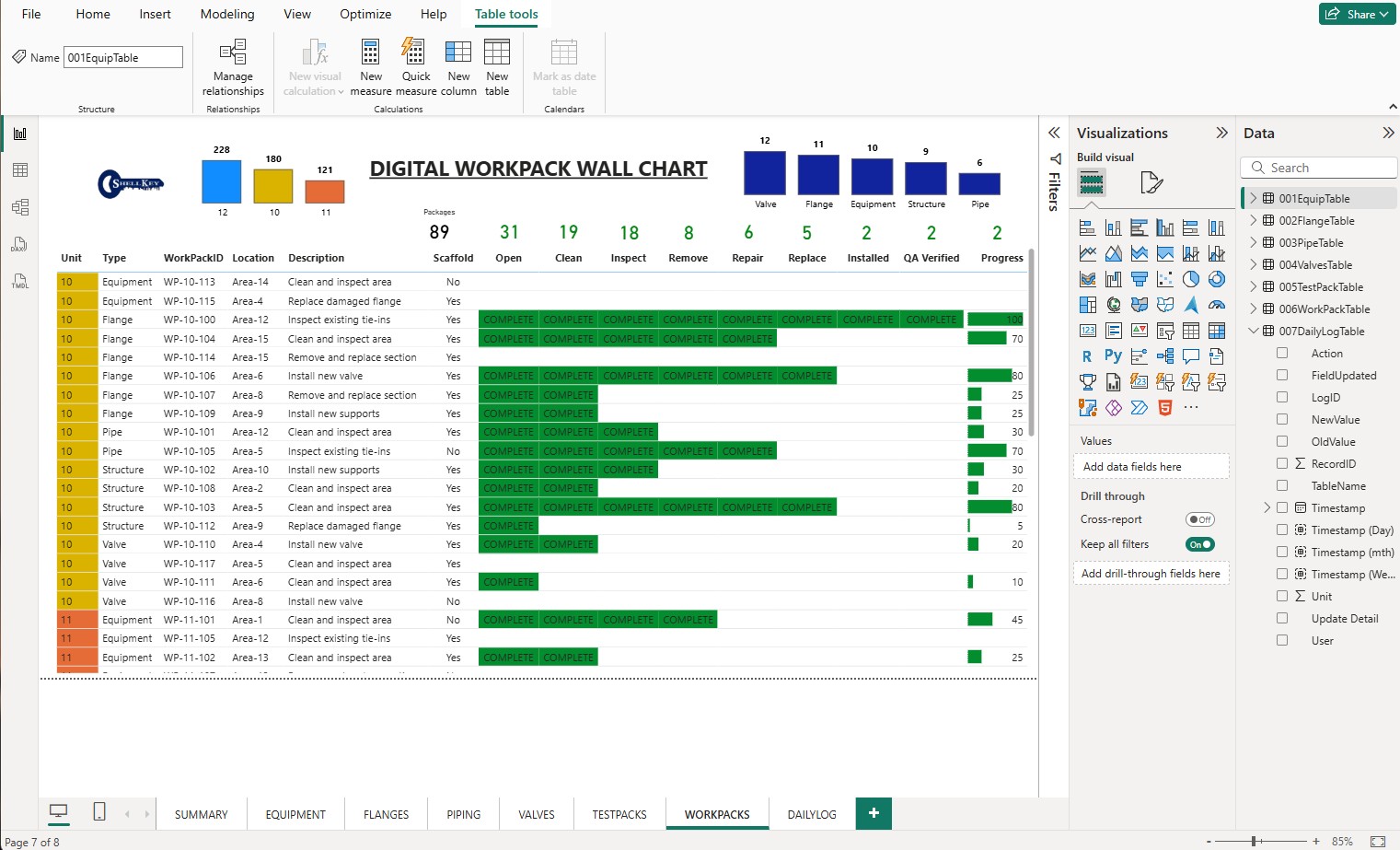
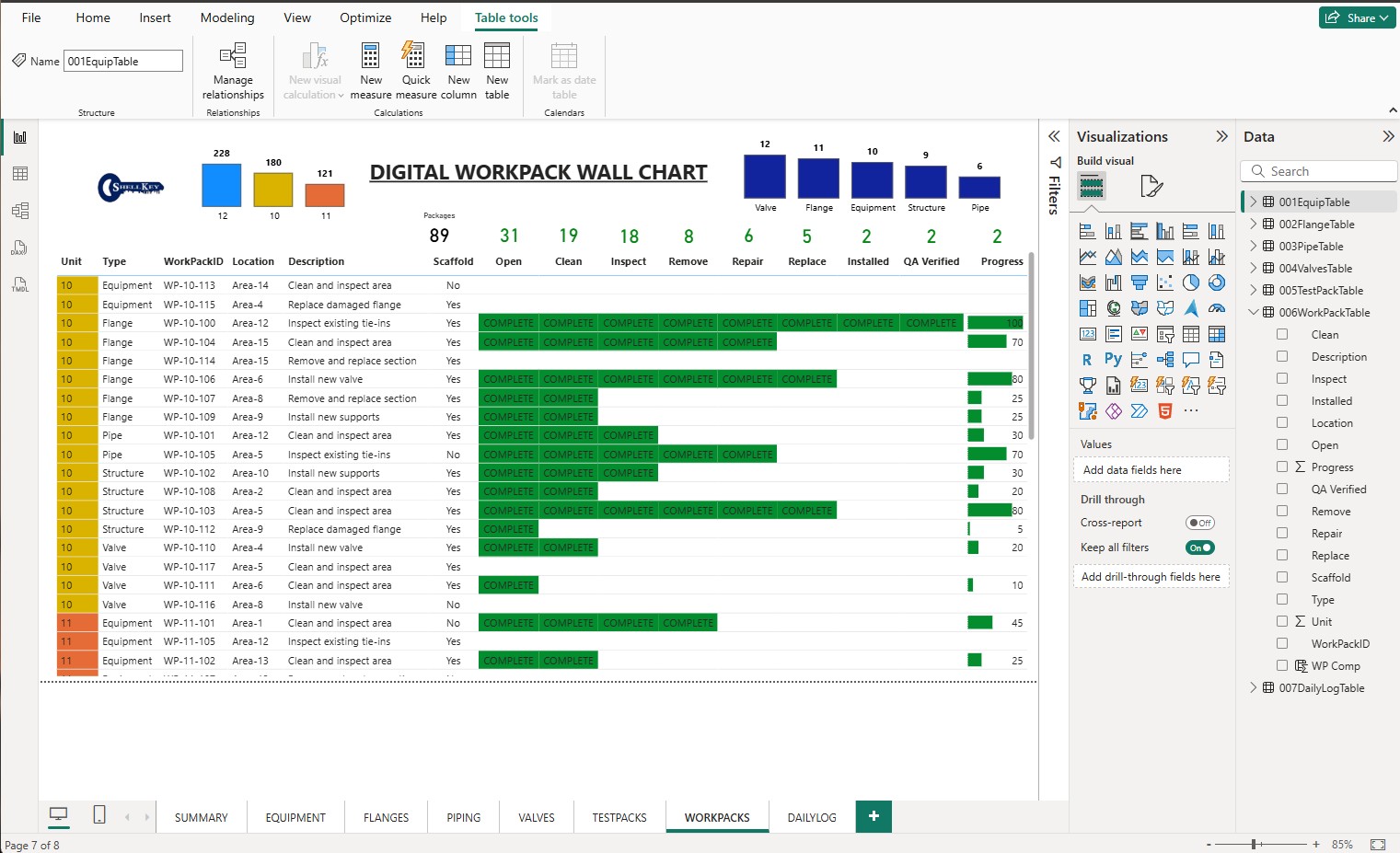
Workpack Control Dashboard

Track workpacks end-to-end with proof, closeout readiness, and real accountability.

What it does

This dashboard tracks workpack status from planned → released → executed → closed, with proof and closeout readiness. It creates visibility into workflow bottlenecks and helps teams stop losing time in handoffs.

Questions it answers

  • How many workpacks are ready to release right now?
  • Which workpacks are stuck and why?
  • Are we closing work with proof and documentation?
  • What’s the trend of releases vs closes?
Best for Workpack owners, coordinators, turnaround controls, planners
Typical inputs Workpack list, workflow statuses, proof attachments/links, closeout checklist items

Works with

  • SharePoint lists, Excel logs, Power Apps, Adalo
  • P6 or schedule exports (optional)
Workpack control Power BI dashboard example

Constraints & Materials Dashboard

See what’s holding work back — prioritize actions and remove blockers before they impact schedule.

What it does

This dashboard highlights constraints that slow execution — materials, permits, access, engineering, inspections, and more. It drives accountability by showing owners, due dates, aging, and what constraints are causing the most schedule risk.

Questions it answers

  • What constraints are blocking work today?
  • Which constraints are overdue and who owns them?
  • Which constraint types are trending up?
  • What’s the aging profile and top schedule risk drivers?
Best for Coordinators, planners, procurement, engineering, execution leadership
Typical inputs Constraint log, owners, due dates, status, category/type, affected workpacks

Optional enhancements

  • Aging + root cause tracking
  • Action effectiveness (did we actually remove the blocker?)
  • Escalation lists for daily coordination
Constraints and materials Power BI dashboard example